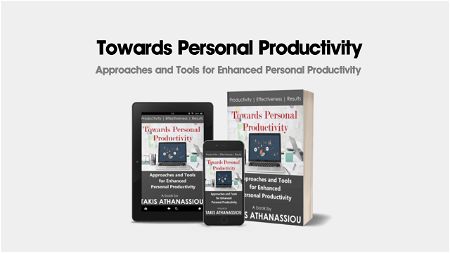
Smartphone Tips for Enhancing Personal Productivity
Introduction
The smartphone has become an essential tool in our daily lives. It not only serves as a communication device but can also be a powerful productivity tool when used effectively. In this article, we will provide you with some valuable tips to enhance your personal productivity using your smartphone.
1. Organize Your Apps
Take some time to organize your smartphone’s home screen by grouping similar apps into folders. This will help you quickly locate and access the apps you need, saving you time and minimizing distractions.
2. Utilize Productivity Apps
There are plenty of productivity apps available that can help you stay organized, manage your tasks, and increase your efficiency. Whether it’s a to-do list app or a note-taking app, find the ones that suit your needs and integrate them into your daily routine.
3. Set Notifications Wisely
Disable unnecessary notifications that constantly distract you. Prioritize the apps and contacts that truly require your immediate attention. By reducing unimportant notifications, you can focus better and reduce interruptions while working.
4. Enable Do Not Disturb Mode
During focused work sessions or important meetings, enable the Do Not Disturb mode on your smartphone. This mode will silence calls, messages, and notifications, allowing you to concentrate on the task at hand without any disruptions.
5. Use Voice Assistant
Make use of the voice assistant available on your smartphone, such as Siri or Google Assistant. Instead of typing out commands or searching for information manually, simply speak out your requests. This will save you time and effort, especially when you’re multitasking.
6. Embrace Keyboard Shortcuts
Familiarize yourself with keyboard shortcuts available on your smartphone’s keyboard. These shortcuts can help you perform tasks faster, such as copying, pasting, or undoing text. With practice, you’ll become more efficient and productive while typing.
7. Use Cloud Storage
Take advantage of cloud storage services to store and access your important files across multiple devices. This way, you can seamlessly transition from working on your computer to your smartphone without the hassle of transferring files manually. It also ensures that your files are backed up securely.
8. Utilize Task Management Tools
There are several task management tools available that can help you stay organized and prioritize your tasks effectively. Whether it’s a built-in app or a third-party tool, find the one that aligns with your workflow and start managing your tasks efficiently.
Conclusion
Your smartphone can be a valuable asset in increasing your personal productivity if used wisely. By optimizing its settings, utilizing productivity apps, and implementing smart strategies, you can enhance your efficiency and accomplish more in less time. Follow these tips and make the most out of your smartphone-based productivity.