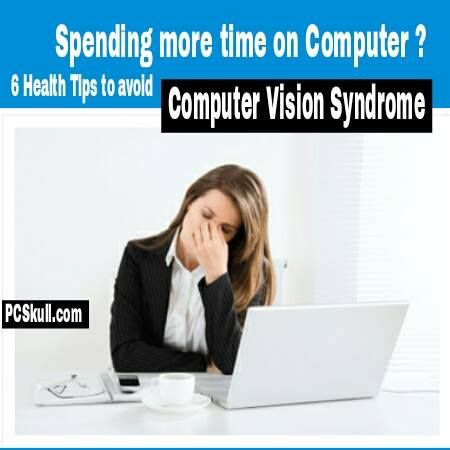
Computer Vision Syndrome and How to Avoid It
Introduction
In today’s digital era, where computers and screens have become an integral part of our daily lives, many individuals suffer from a condition known as Computer Vision Syndrome (CVS). CVS refers to a group of eye and vision-related problems that arise from prolonged computer usage. This article aims to shed light on the causes, symptoms, and, most importantly, how to prevent or alleviate CVS.
Understanding Computer Vision Syndrome
CVS is not a singular condition but rather a combination of various eye discomfort and vision problems. Staring at a screen for extended periods causes eye strain and fatigue due to continuously focusing and refocusing on the pixels.
Symptoms of Computer Vision Syndrome
Recognizing the symptoms is crucial for early detection and prevention. Common signs of CVS include:
Eye strain and redness
Blurred or double vision
Dry eyes or excessive tearing
Headaches and neck/shoulder pain
Difficulty in focusing and maintaining a clear vision
Preventing Computer Vision Syndrome
1. Optimize Your Workspace
Ensure your monitor is positioned at eye level to reduce strain on your neck and shoulders. Adjust the screen brightness, contrast, and font size as per your comfort. Dim ambient lighting and avoid glare on the monitor.
2. Take Frequent Screen Breaks
The 20-20-20 rule is highly recommended – every 20 minutes, take a 20-second break, and focus on something 20 feet away to relax strained eye muscles. Additionally, incorporating intermittent stretching exercises for your neck, back, and shoulders can provide much-needed relief.
3. Blink Regularly and Keep Eyes Lubricated
Blinking helps spread tears over the cornea, preventing dryness and irritation. Use lubricating eye drops, specifically designed for screen users, to keep your eyes moist and comfortable.
4. Adjust Display Settings
Modify your computer’s display settings to reduce eye strain. Increase text size to avoid squinting and adjust the brightness and contrast levels to minimize harshness.
5. Use Proper Ergonomics
Ensure a comfortable chair and desk setup to avoid unnatural postures that strain your body. Your feet should touch the floor, arms at a 90-degree angle, and wrists well-supported for optimal typing and mouse usage.
6. Consider Blue Light Filters
Blue light emitted by screens can disrupt sleep patterns and cause eye strain. Installing blue light filters or wearing specialized computer glasses can help combat this issue.
Conclusion
While technological advancements have undoubtedly revolutionized the way we work and communicate, it is important to prioritize our eye health. By following the preventive measures mentioned in this article, you can significantly reduce the risk of Computer Vision Syndrome and enjoy a healthier digital lifestyle.